0 ratings


Item #:
85286499
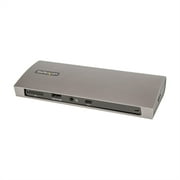
Satechi Thunderbolt 4 Dock 100W Charging, Dual Monitor HDMI 4K/60Hz, 40Gbps Data Transfer, 2 USB-A 3.2, Ethernet, Thunderbolt 4 Dock for MacBook
Item #:
85286499
€ 342
Price Details
Excluding Shipping & Custom charges ( Shipping and custom charges will be calculated on checkout )
*All items will import from US
In stock
 Imported from USA store
QTY:
Order now and get it around Wednesday, June 24
Secured transaction
Ubuy works hard to protect your security and privacy. Our advanced payment security system ensures confidentiality by encrypting your information during transmission using AES (Advanced Encryption Standards) and SSL (Secure Socket Layer) protocols. Your payment details are 100% secure as we do not share your payment details with third party sellers.
Our Top Logistics Partners


Multiply Productivity – enjoy ultra-clear resolutions and stunning visuals with Satechi Thunderbolt 4 dock. Supports up to 4 external extended displays at 4K/60Hz, 2 via Thunderbolt 4 ports and 2 via HDMI.

Fast
Shipping

Free
Return*

Secure Packaging

100% Original Products

PCI DSS Compliance

ISO 27001 Certified


Note: Step Down Voltage Transformer required for using electronics products of US store (110-120). Recommended power converters Buy Now.


What Stands Out
Powerful Charging
Provides 96W charging, ensuring your devices remain powered while you work efficiently without the need for additional chargers.
Dual 4K Support
Supports dual monitor setup with HDMI 4K at 60Hz, enhancing productivity and visual experience for users needing superior display capabilities.
Fast Data Transfer
Delivers lightning-fast 40Gbps data transfer along with multiple USB options, ensuring quick access to files and seamless connectivity for all your devices.
Product Details
- Multiply Display Capabilities – Supports up to 4 external extended displays at 4K/60Hz, 2 via thunderbolt 4 ports and 2 via HDMI (DisplayLink required). Limited to 3 external extended display for Mac M2/M1 processors, 1 via Thunderbolt 4 port and 2 via HDMI ports. Note: Requires installation of DisplayLink Drivers before using
- Maximizing Efficiency – experience blazing data transfers speeds via 3 of our Thunderbolt 4 ports up to 40Gbps data and 2 USB-A port up to 10Gbps data through our Thunderbolt 4 docking station. Supports daisy-chain up to 6 devices. Providing data transfer speeds up to 32Gbps for external Graphic cards and Thunderbolt based SSD’s
- Expand Your Peripherals – our Thunderbolt 4 hub offers a USB-C 96W PD charging port to charge your device simultaneously, a UHS-II SD (4.0) card reader up to 312MB/s, and an ethernet port up to 1000Mbps for stable connection. Standard operating temperature is 86-131°F/ 30-55°C. This will not affect the functionality of the device, or damage any hardware
- Compatibility – Works with Thunderbolt 4 and USB 4 devices, MacBook Air/Pro M5/M4, iMac M4, Mac Mini M4, Mac Studio M4, and a wide range of Windows PCs including models from Lenovo, Microsoft Surface, Dell, HP, Razer, and Huawei, as well as Chrome OS devices
| Hardware Interface | Ethernet, HDMI, Secure Digital Card, Thunderbolt 4, USB Docking Station |
| Compatible Devices | MacBook Pro 14/16-inch (2026 M5/M4/M3/M2/M1), MacBook Air 13/15-inch (2026 M5/M4/M3/M2/M1), Mac Mini (2024 M4/M2/M1), iMac (2024 M4/M3/M1), Mac Studio (2025 M4/M3/M2/M1), Lenovo ThinkPad, Microsoft Surface, Google Pixelbook. IMPORTANT: Intel-based Macs and certain M1–M3 MacBook models do not support refresh rates above 4Kat60Hz over HDMI. This is a limitation of the host device, not the cable, hub, or adapter. |
| Total Usb Ports | 2 |
| Number of Ports | 12 |
| Total Number of HDMI Ports | 2 |
| Wattage | 180 |
| Input Voltage | 180 Volts (AC) |
| Item Dimensions L x W x H | 8.4"L x 3.7"W x 0.7"H (21.3 x 9.4 x 1.8 cm) |
| Item Weight | 17.28 Ounces (489.89 grams) |
| Color | Space Gray |
| Brand | Satechi |
| Global Trade Identification Number | 00810086361182 |
| UPC | 810086361182 |
| Manufacturer | Satechi |
| Model Number | ST-DT4MDM-US |
| Mfr Part Number | ST-DT4MDM-US |
| Compatible Devices | MacBook Pro 14/16-inch (2026 M5/M4/M3/M2/M1), MacBook Air 13/15-inch (2026 M5/M4/M3/M2/M1), Mac Mini (2024 M4/M2/M1), iMac (2024 M4/M3/M1), Mac Studio (2025 M4/M3/M2/M1), Lenovo ThinkPad, Microsoft Surface, Google Pixelbook. IMPORTANT: Intel-based Macs and certain M1–M3 MacBook models do not support refresh rates above 4Kat60Hz over HDMI. This is a limitation of the host device, not the cable, hub, or adapter. See more |
| Total USB Ports | 2 |
| Product Dimensions (L x W x H) | 8.4"L x 3.7"W x 0.7"H (21.3 x 9.4 x 1.8 cm) |
| Total HDMI Ports | 2 |
Who Should Buy?

-
Creative Professionals
Ideal for graphic designers and video editors needing dual 4K displays and high-speed data transfer capabilities.
-
Tech Enthusiasts
A great choice for users who demand multiple connectivity options and high-performance charging in their setups.
-
Remote Workers
Perfect for individuals working from home who require reliable internet and multiple device connections for productivity.

-
Casual Users
Not suitable for users with basic needs who may find the features excessive for standard tasks.
-
Budget-Conscious Buyers
May be too expensive for those looking for a simple dock without advanced functionalities and high charging power.
-
Non-Technical Users
Users unfamiliar with DisplayLink software may struggle to set up and utilize the dock’s advanced features effectively.
Product Description
Have any Query? Chat with us
Related Searches
Customer Questions & Answers
-
Question:
What are the key features of the Satechi Thunderbolt 4 Dock?
Answer: The Satechi Thunderbolt 4 Dock boasts impressive features including 96W charging, dual HDMI ports supporting 4K at 60Hz, 40Gbps data transfer speeds, two USB 3.2 ports for fast connectivity, and Ethernet support. These features allow users to connect multiple external monitors while simultaneously charging their devices and transferring data quickly. This dock is ideal for professionals who need to multitask efficiently, whether for video editing or handling multiple applications. -
Question:
Is the Satechi Thunderbolt 4 Dock compatible with both Mac and Windows?
Answer: Yes, the Satechi Thunderbolt 4 Dock is designed for compatibility with both Mac and Windows systems. This versatility makes it a great choice for diverse user bases, whether you're a MacBook user or rely on a Windows laptop. The dock provides seamless integration and functionality, ensuring users can enhance their workstation setup effectively without worrying about OS limitations. -
Question:
How does the 96W charging work with the Satechi Thunderbolt 4 Dock?
Answer: The dock features a 96W Power Delivery (PD) charging capability, meaning it can charge compatible laptops and devices swiftly through a single Thunderbolt 4 cable connection. This ensures that your devices receive enough power while using the dock for data transfer and connectivity. Users can enjoy uninterrupted workflow, as it reduces the hassle of multiple chargers on your workspace. -
Question:
What type of devices can I connect to the Satechi Thunderbolt 4 Dock?
Answer: You can connect various devices including laptops, monitors, external hard drives, and peripherals like keyboards and mice. With dual HDMI ports, you can easily set up dual monitors for increased productivity, while the USB 3.2 ports allow for fast connectivity with external storage devices. This makes it perfect for professionals who require multiple device support for their daily tasks. -
Question:
What benefits does the dual monitor setup provide?
Answer: A dual monitor setup enhances productivity by allowing users to view multiple applications side by side. This is especially beneficial for tasks like coding, graphic design, or financial analysis, where viewing large datasets simultaneously is crucial. The Satechi Thunderbolt 4 Dock enables this setup easily with HDMI support, giving a seamless experience without clutter. -
Question:
What types of data transfer speeds can I expect?
Answer: With 40Gbps data transfer speeds via Thunderbolt 4, the Satechi Dock ensures rapid file transfers. This incredible speed is particularly advantageous for professionals dealing with large video files, backing up data, or transferring heavy workloads. You can expect fast downloads and uploads, allowing for an efficient workflow with less waiting time. -
Question:
Is there a warranty on the Satechi Thunderbolt 4 Dock?
Answer: Yes, the Satechi Thunderbolt 4 Dock typically comes with a one-year limited warranty. This warranty underscores the manufacturer's confidence in their product quality. Users can have peace of mind knowing they’re covered for manufacturing defects or issues that may arise during usage within the warranty period. -
Question:
Can I use the dock with a non-Thunderbolt device?
Answer: Yes, the dock is backward compatible with USB-C devices that support USB 3.0 and later. However, non-Thunderbolt devices will not utilize the full potential of Thunderbolt speeds, but they'll still connect and function properly, providing a flexible solution for users who might mix older and newer technology. -
Question:
How do I set up the Satechi Thunderbolt 4 Dock?
Answer: Setting up the dock is straightforward. Simply connect the dock to your power source, then link it to your laptop using a Thunderbolt 4 or USB-C cable. After connection, plug in your monitors and peripherals. The user-friendly design ensures that most users can have their workstation running within minutes, enhancing convenience and efficiency. -
Question:
Where can I buy the Satechi Thunderbolt 4 Dock in Lithuania?
Answer: You can purchase the Satechi Thunderbolt 4 Dock from Ubuy, your trusted online marketplace in Lithuania. Ubuy offers a secure shopping experience with fast delivery options. It is an excellent platform for getting authentic tech products like this dock, ensuring that you have access to the best in technology without hassle.
Satechi Docking Stations ST-DT4MDM-US Editorial Review


The Satechi Thunderbolt 4 DisplayLink Docking Station has garnered a mix of enthusiastic praises and some notable criticisms from users, resulting in a nuanced reception. Many customers appreciate the premium feel of the device and its lightweight design compared to heavier alternatives. Users delight in the dock's capacity to provide multiple ports, including two HDMI outputs, which eliminates the need for additional cables when connecting to their laptops. Additionally, the docking station's powerful performance, particularly for handling Ultra HD displays, has been a significant highlight for professionals, such as photographers, who rely on high-quality visuals and fast data transfer speeds. However, customer experiences diverged regarding functionality. Some users praised the seamless integration with their devices, particularly those with Thunderbolt 4 capabilities, highlighting the dock's effectiveness in powering laptops while extending display options. Others faced challenges, particularly those attempting to connect their docking stations to newer Mac models, which had restrictions on the number of external displays. Some customers reported compatibility issues with DisplayLink software and expressed disappointment in customer support responses. These issues highlight that while the docking station can deliver an exceptional experience for certain setups, users must be mindful of their specific hardware capabilities to maximize its features. In summary, while the Satechi Thunderbolt 4 Docking Station stands out for its design, port availability, and high-quality video support, potential buyers should be aware of the device's compatibility requirements and potential software-related limitations. ###
Customer Reviews & Ratings
112 customers ratings
-
5 Star
71%
-
4 Star
11%
-
3 Star
4%
-
2 Star
9%
-
1 Star
5%
Review this product
Share your thoughts with other customers
Pros
- Premium build quality and lightweight design.
- Multiple ports, including two HDMI ports, enhance functionality without requiring additional cables.
- Excellent performance with Thunderbolt 4, enabling high-speed data transfer and support for multiple external displays.
- Positive feedback from professionals (e.g., photographers) on seamless integration and display performance.
- Important ports like UHS-II SD card reader and ethernet connection for efficient workflows. ###
Cons
- Occasional functionality problems requiring third-party software (DisplayLink) to operate HDMI ports.
Top selling Thunderbolt 4 Dock in Hong Kong





Last Updated on May 20, 2026
Product Price History
Important information
- Limitations : For products shipped internationally, please note that any manufacturer warranty may not be valid; manufacturer service options may not be available; product manuals, instructions, and safety warnings may not be in destination country languages; the products (and accompanying materials) may not be designed in accordance with destination country standards, specifications, and labeling requirements; and the products may not conform to destination country voltage and other electrical standards (requiring use of an adapter or converter if appropriate). The recipient is responsible for assuring that the product can be lawfully imported to the destination country. When ordering from Ubuy or its affiliates, the recipient is the importer of record and must comply with all laws and regulations of the destination country.
- Not all the products listed on Ubuy are for sale, as Ubuy is a global search engine. Products are subject to export/trade regulations.
€ 342
Order now and get it around Wednesday, June 24
This item is not restrict in my country.(Please click on above link if this item is not restrict in your country, So our team will review and allow.)
QTY:
Secured transaction
Ubuy works hard to protect your security and privacy. Our advanced payment security system ensures confidentiality by encrypting your information during transmission using AES (Advanced Encryption Standards) and SSL (Secure Socket Layer) protocols. Your payment details are 100% secure as we do not share your payment details with third party sellers.
Our Top Logistics Partners
Fastest cross-border delivery
Features & Benefits
- Supports up to 4 external extended displays at 4K/60Hz
- Blazing data transfer speeds up to 40Gbps
- Features USB-C 96W PD charging port, UHS-II SD card reader, and ethernet port up to 1000Mbps
- Broad compatibility with various Thunderbolt/USB 4 devices
- Allows daisy-chaining up to 6 devices
- Ideal for increasing productivity and efficiency