- Pagrindinis puslapis /
- Knygos /
- Computing & Internet /
- Programming /
- Introduction /
- SIEMENS PLC PROGRAMMING FOR BEGINNERS: LEARN ...
0 ratings



Elementas #:
115463834
SIEMENS PLC PROGRAMMING FOR BEGINNERS: LEARN SIEMENS PLC PROGRAMMING WITH S7-300/400 Automating Project Examples inside TIA portal and Factory IO
Elementas #:
115463834
€ 25
Price Details
Excluding Shipping & Custom charges ( Shipping and custom charges will be calculated on checkout )
*All items will import from JK
0 ratings
Parašykite atsiliepimą
Prekyboje
 Importuota iš UK parduotuvės
QTY:
Užsisakykite dabar ir gaukite jį Šeštadienis, Spalio mėn. 17
Secured transaction
Ubuy works hard to protect your security and privacy. Our advanced payment security system ensures confidentiality by encrypting your information during transmission using AES (Advanced Encryption Standards) and SSL (Secure Socket Layer) protocols. Your payment details are 100% secure as we do not share your payment details with third party sellers.
Our Top Logistics Partners


Learn Siemens PLC Programming with S7-300/400 Automating Project Examples inside TIA portal and Factory IO!

Fast
Shipping

Free
Return*

Secure Packaging

100% Original Products

PCI DSS Compliance

ISO 27001 Certified



Produkto Aprašymas
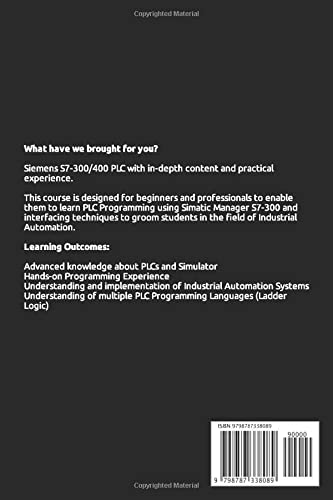
- Brief Description✓Recognize S7 hardware and be able to replace modules when they fail.✓To do specific operations, you must use the Step 7 software.✓Understand the basic S7 instruction set and perform minimal software changes.✓When necessary, be able to backup and restore a PLC program.✓When an issue arises, be able to run basic system diagnostics.✓Learn how to communicate from a PLC to Factory IO.✓Make changes to the PLCSIM and Factory IO.To find a system, you must first understand how it operates.Then you'll need to understand the details.HOW DO I GO ABOUT DOING THE FOLLOWING?(Some are straightforward, while others aren't)How can I ensure the electricity is turned on and the PLC is set to the correct mode? (RUN or Program).Look for any signs of a problem (is SF LED ON).Make a connection to the PLC (accessible nodes).Check the PG/PC interface if you have a communication problem.Make a backup of your existing project by creating a new one (just in case I mess up).Open a PLC project and go online.Buffer for Interrogate Diagnostics.Determine whether the problem is caused by hardware or software.If required, switch modules (with spares and without spares).Determine whether the issue is with the PLC or the communications system (PLCSIM).✓Check all settings, such as Node Address, against a template.✓Examine the hardware configuration.✓Download the application and clear your memory.✓Compare the software to the most recent version (Compare function).✓Program to keep an eye on.✓Specific operands and instructions are sought.✓Changing the timer and counter values in real-time.✓Offline and online minor modifications.✓To determine parameter status, check or construct a VAT table.✓If necessary, force a parameter.✓To assist with software diagnostics, call up reference data.✓Project Archive and Retrieval.♥Documentation is displayed (Symbols, Comments).♥Change software addresses and reassign an I/O address (Rewire Function).♥Configuration of Analog Inputs at a Basic Level.♥Printing cross-references, program listings, and other information.♥Using PLCSIM to communicate from an 3D Simulator to a PLC.♥Add pushbuttons, a data display, and alarms to an existing 3D Simulator.There was also some background information provided.The following is to be understood:✓Bits, bytes, words, and double words are examples of number formats.✓Integer, binary, HEX, octal, floating-point✓Data types and parameter types, such as Bool, are examples of data types and parameter types.✓Types that change (local and global)✓How to keep track of various blocks✓Programs ladder✓Contacts, Set, Reset, and Other Basic Instructions✓Counters and Timers✓Scalling✓How to make minor alterations✓Values in a VAT table can be changed.✓Going backwards through a program to see where the power flow stops✓Reset method in general✓Tips for spotting flawsDocumentation for the Course◆Reference Guide for Simatic Manager S7◆SIMATIC STEP 7 (TIA Portal) ®Equipment for the Course ★PLC S7 300 or 400.★PLCSIM.★Laptop or PC?★Simulator Factory IO.
| Publisher | Independently published |
| Publication date | 19 Dec. 2021 |
| Language | English |
| Print length | 345 pages |
| ISBN-13 | 979-8787338089 |
| Item weight | 531 g |
| Dimensions | 15.6 x 1.98 x 23.39 cm |
PRODUKTO APRAŠYMAS
SIEMENS PLC PROGRAMMING FOR BEGINNERS: LEARN SIEMENS PLC PROGRAMMING WITH S7-300/400 Automating Project Examples inside TIA portal and Factory IO
Turite klausimų? Kalbekites su mumis
Klientų klausimai ir atsakymai
-
klausimas:
Kaip pirkti SIEMENS PLC PROGRAMMING FOR BEGINNERS: LEARN SIEMENS internetu iš Ubuy?
Answer: Lengva pirkti SIEMENS PLC PROGRAMMING FOR BEGINNERS: LEARN SIEMENS internetu iš Ubuy.. Jums tereikia ieškoti prekės, išsiregistruodami pasirinkti pristatymo būdą ir gauti pristatymą į jūsų vietą. -
klausimas:
Ar SIEMENS PLC PROGRAMMING FOR BEGINNERS: LEARN SIEMENS galima apsipirkti internetu Lithuania?
Answer: Taip, „Ubuy Lithuania“ šį produktą galite įsigyti už priimtiną kainą.. SIEMENS PLC PROGRAMMING FOR BEGINNERS: LEARN SIEMENS nepasiekiamas vietoje, bet galite patikėti mums greitojo siuntimo paslaugas. -
klausimas:
Kiek laiko užtrunka gauti prekę po užsakymo?
Answer: Užsakytos prekės pristatymo laikas priklauso nuo to, ką užsisakėte ir pasirinktą pristatymo būdą.. Numatomas pristatymo laikas nurodomas atsiskaitymo metu, todėl apsipirkdami būkite nerūpestingi.
Introduction Editorial Review
SIEMENS PLC PROGRAMMING FOR BEGINNERS LEARN SIEMENS PLC PROGRAMMING WITH S7-300/400 Automating Project Examples Inside TIA Portal And Factory IO is a comprehensive guide ideal for newcomers eager to master PLC programming. With 345 pages of detailed information, this book provides robust insights into Siemens PLC systems using S7-300 and S7-400. Readers can benefit from practical examples included within the context of TIA Portal and Factory IO, offering a hands-on approach to learning automation techniques. The publication, released on 19 Dec. 2021, is easily accessible for learners looking to enhance their skills in a structured manner. Overall, it's a valuable resource for anyone venturing into the field of automation and programming.
Customer Reviews & Ratings
27 klientų vertinimai
-
5 žvaigždė
66%
-
4 žvaigždė
12%
-
3 žvaigždė
22%
-
2 žvaigždė
0%
-
1 žvaigždė
0%
Apžvelgti šį produktą
Dalinkitės savo mintimis su kitais klientais
Argumentai
- Detailed examples enhance practical understanding
- Covers S7-300 and S7-400 systems
- Hands-on approach with TIA Portal
- Well-structured for beginners
- Comprehensive 345-page content
Minusai
- Print length may seem lengthy for some readers
Product Price History
Svarbi informacija
- Apribojimai : Atkreipkite dėmesį, kad tarptautiniu mastu siunčiamiems gaminiams gali negalioti jokia gamintojo garantija; gali būti neprieinamos gamintojo aptarnavimo galimybės; gaminių vadovai, instrukcijos ir saugos įspėjimai gali būti pateikiami ne paskirties šalies kalbomis; gaminiai (ir pridedama medžiaga) gali neatitikti paskirties šalies standartų, specifikacijų ir ženklinimo reikalavimų; gaminiai gali neatitikti paskirties šalies įtampos ir kitų elektros standartų (prireikus reikia naudoti adapterį arba keitiklį). Gavėjas yra atsakingas už tai, kad įsitikintų, jog gaminį galima teisėtai importuoti į paskirties šalį. Užsakydamas iš
- Ne visi „Ubuy“ išvardyti produktai yra parduodami, nes „Ubuy“ yra pasaulinė paieškos sistema. Produktams taikomos eksporto ar prekybos taisyklės.
€ 25
Užsisakykite dabar ir gaukite jį Šeštadienis, Spalio mėn. 17
This item is not restrict in my country.(Please click on above link if this item is not restrict in your country, So our team will review and allow.)
QTY:
Secured transaction
PCI DSS compliant and ISO 27001:2022 certified, with encrypted payments and full buyer protection on every order.
Our Top Logistics Partners
Fastest cross-border delivery
Savybės ir privalumai
- Master the basics of Siemens PLC programming quickly.
- Gain hands-on experience with S7-300/400 hardware and software.
- Perform essential operations like diagnostics and backup confidently.
- Explore the TIA Portal and Factory IO for practical automating projects.
- Understand data types and programming concepts efficiently.
- Make real-time modifications to enhance your programming skills.
Ubuy Assurance
Experience worry-free shopping with 100% original products, PCI DSS-compliant payment security, ISO 27001-certified data protection, the fastest cross-border delivery, free returns *, and secure packaging on every order.